
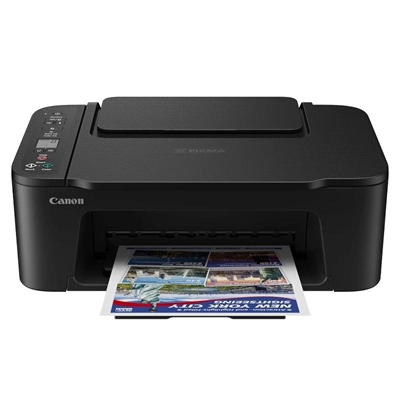
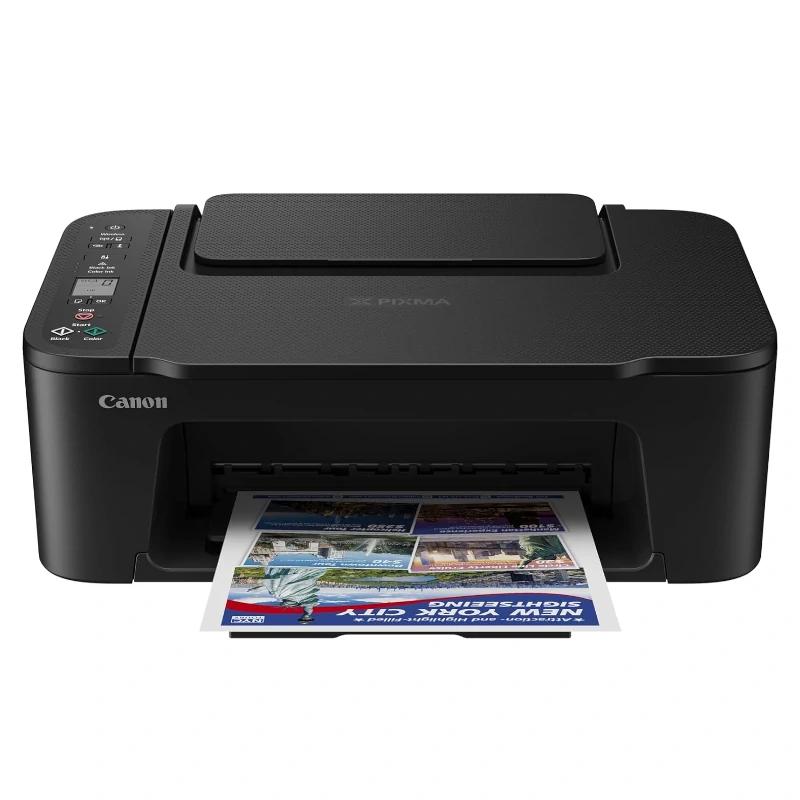
Canon Multifunction Pixma TS3750i BK
55,66 €
The Canon Multifunction Pixma TS3750i BK combines printing, scanning, and copying in a compact design. It offers Wi-Fi connectivity, exceptional print quality, and easy handling, making it perfect for home and office use.
Shipping Cost & Delivery Time
The Canon Multifunction Pixma TS3750i BK is the perfect solution for those seeking a versatile and efficient device for home or office use. This compact model stands out for its sleek and modern design, which easily fits into any space. With printing, scanning, and copying functions, the TS3750i BK becomes an essential ally for completing daily tasks quickly and effortlessly.nnOne of the most notable features of this printer is its connectivity. Equipped with Wi-Fi, it allows for wireless printing from mobile devices, tablets, and computers, making access to documents and photos convenient at any time. Additionally, it is compatible with the Canon PRINT app, further simplifying the printing process from your smartphone.nnThe print quality is exceptional, with vibrant colours and sharp text thanks to its inkjet technology. The TS3750i BK is capable of printing in various formats, including photo paper, making it an ideal choice for those who enjoy photography. Its double-sided printing function also helps save paper and reduce costs.nnThe integrated scanner allows for easy digitisation of documents, and the intuitive control panel makes it simple to navigate between the different functions. With a resolution of up to 4800 x 1200 dpi, each print is a reflection of quality and precision.nnIn summary, the Canon Multifunction Pixma TS3750i BK is an all-in-one printer that combines versatility, connectivity, and quality, making it ideal for meeting all your printing needs in a single device.
Specifications
| Brand | Canon |
| Model | 6671C006 |
| Functions | – Printing, scanning, and copying, Wi-Fi and cloud |
| Printing specifications | Print resolution – Up to 4800 x 1200 dpi Printing technology – 2 x FINE cartridges (black and color) Black and white print speed – Approx. 7.7 ipm Color print speed – Approx. 4 ipm Photo print speed – 10 x 15 cm borderless: approx. 65 seconds Borderless printing – 13 x 18 cm, 10 x 15 cm, 13 x 13 cm Duplex printing – Manual operation |
| Paper compatibility | Paper types – Plain paper – Glossy II Photo Paper (PP-201) – Glossy Photo Paper “Everyday Use” (GP-501) – Magnetic Photo Paper (MG-101) – Adhesive Photo Paper (RP-101) – Canon Red Label Superior (WOP111) – Canon Oce Office Colour Paper (SAT213) Maximum paper input – Rear tray: max. 60 sheets (plain paper) *Refer to the online manual for a detailed list of paper load limits, which will vary depending on the type of media and the selected page size. Paper sizes – Plain paper: A4, A5, B5, Letter, Legal – Photo paper: 13 x 18 cm, 10 x 15 cm, 13 x 13 cm – Custom size: width from 89 mm to 215.9 mm; length from 127 mm to 676 mm Paper weight – Plain paper: 64-105 g/m² – Canon photo paper: up to 275 g/m² |
| Scanner specifications | Scanner type – Flatbed CIS scanner for photos and documents Scanner resolution (optical) – 600 x 1200 dpi Maximum document size – 216 x 297 mm |
| Copier specifications | Copy speed – sFCOT: approx. 27 seconds – sESAT: approx. 3.0 ipm Multiple copies – max. 20 copies Copy functions – Document copying, borderless copying Zoom copy – 25 – 400 % (in 1 % increments) – Fit to page Document size – 216 x 297 mm |
| Connectivity |
– High-speed USB (Type B)
– Wi-Fi: IEEE802.11 b/g/n – Wi-Fi Security: WPA-PSK (AES), WPA2-PSK (AES), WPA3-SAE (AES) – Wireless LAN frequency band: 2.4 GHz |
| Software | Supported operating systems – Windows 11, Windows 10, Windows 8.1, Windows 7 SP1 – Functionality is guaranteed only on a PC with Windows 7 or later installed – MacOS 10.15. 67 – macOS 14 * Operating system compatibility confirmed at launch; check the Canon Download Center to confirm compatibility of this product with subsequently released operating systems. Compatible mobile systems – iOS, iPadOS, Android, ChromeOS Minimum system requirements – Display: 1024 x 768 XGA – Installation: Internet, CD-ROM (Windows) Included software – MP Driver with Scanning Utility – Easy-PhotoPrint Editor (download) |
| Cartridges and yields | Standard ink cartridges – PG-575i (black) – CL-576i (color) – PG-575, PG-575XL (black) – CL-576, CL-576XL (color) Cartridge yield (plain paper) – Color document printing A4 – Black: 100 pages – Black XL: 400 pages – Color: 100 pages – Color XL: 300 pages |
| Other features | Screen type and size – OLED (1.44 inches) Display languages – Ability to select from 33 languages Acoustic noise levels – approx. 48 dB (A) Recommended operating environment – Temperature: 5-35 °C – Humidity: 10 – 90 % RH (non-condensing) Power supply – 100-240 V, 50/60 Hz Power consumption – Off: approx. 0.3W – Standby (connected to PC via USB): approx. 0.8 W (scanner lamp off) – Standby (all ports connected): approx. 1.3 W (scanner lamp off) – Time to enter standby mode: 10 minutes, 1 second – Copying: approx. 9 W Dimensions and weight – 435 x 327 x 145 mm – approx. 4 kg |
| Review Date | 07-11-2024 by RTY |
Additional information
| Weight | 6,0 kg |
|---|---|
| Dimensions | 48,0 × 39,0 × 19,0 cm |

Reviews
There are no reviews yet.